GitStats Documentation
GitHub Stats
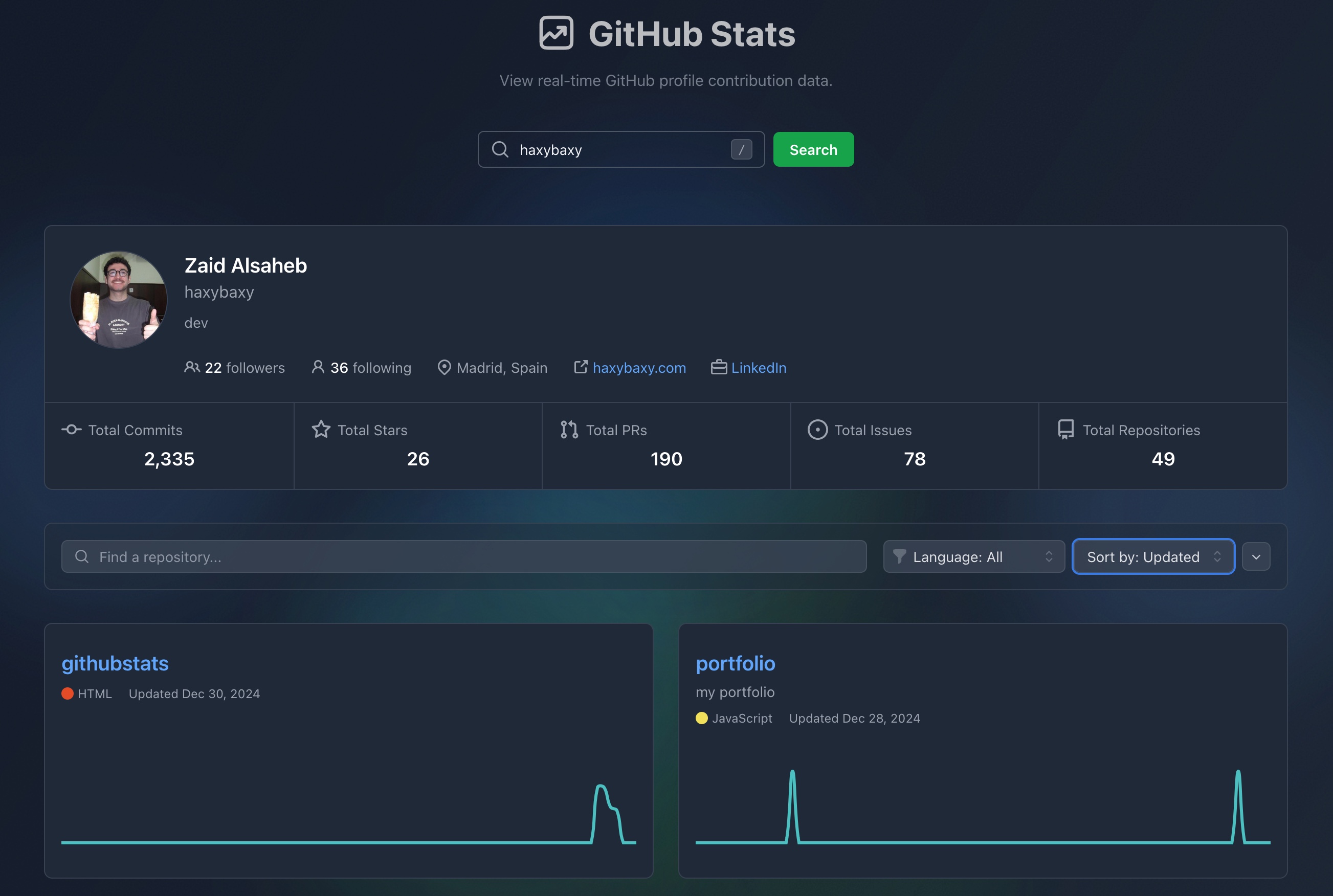
Vite React app to view real-time GitHub profile contribution and repository data.
Feature
- 📊 Real-time GitHub statistics visualization
- 📈 Interactive contribution graphs
- 📱 Responsive desktop and mobile friendly design with dark mode support
- ⚡ Fast and efficient data loading
- 🎨 Beautiful UI with smooth animations
- 🤖 Automatic deployment and testing using Github Actions
- 📚 Documentation deplyed on Github Pages
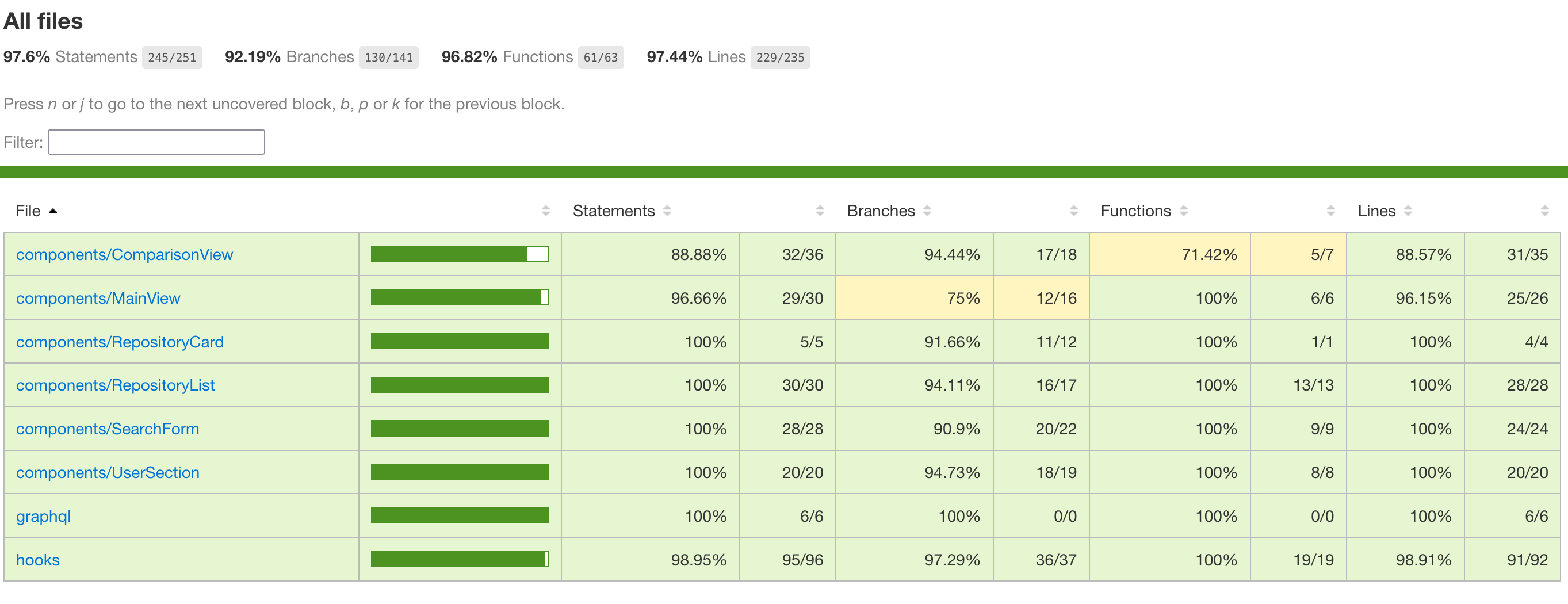
- 📊 95% Test coverage
- 🚀 Deployed on Vercel
Tech Stack
- Frontend Framework: React 18 with TypeScript
- Build Tool: Vite
- Styling: TailwindCSS
- Data Fetching: Apollo Client (GraphQL)
- Visualization: Chart.js
- Testing: Jest + React Testing Library
- Documentation: Storybook + TypeDoc
- Animation: Framer Motion
- CI/CD and Automatic Testing: Github Actions
Prerequisites
- Node.js 20.x or Docker
- npm 10.x (if running without Docker)
- GitHub Personal Access Token (for API access)
Steps to Run
Standard Setup (without Docker)
- Clone the repository:
git clone https://github.com/haxybaxy/githubstats.git
cd githubstats
- Install dependencies:
npm install
- Create a
.envfile in the root directory with your GitHub token (check .env.example for reference):
VITE_GITHUB_TOKEN=your_token_here
- Start the development server:
npm run dev
- If you want to fork this and run the workflows, you need to add your access token as GH_TOKEN to your repo secrets.
The application will be available at http://localhost:5173
Docker Setup
-
Create a
.envfile as described above (check .env.example for reference) -
Build and run with Docker:
# Build the image
docker build -t githubstats-dev .
# Run the container
docker run -it \
--env-file .env \
-p 5173:5173 \
-v $(pwd):/app \
-v /app/node_modules \
gitstats-dev
Testing
Running Tests
- Run the entire test suite:
npm run test
You might get a few warnings about the props and components in the ThemeToggle component being invalid, which is fine, since these props are needed for the framer motion library.
- Run tests in watch mode (for development):
npm run test:watch
- Generate coverage report:
npm run test:coverage
The test coverage report can be found in coverage/lcov-report/index.html
The remaining uncovered code is for a few trivial lines.
Running Storybook
Storybook provides a sandbox environment for developing and testing components in isolation:
npm run storybook
Future Improvements
-
Avoiding the Github Rate Limit
- A main issue with this app is that the GitHub v4 API has a rate limit of 5000 nodes expanded per hour, rather than requests.
- To prevent users from hitting the rate limit, I made the decision to only fetch the first 100 commits for a repo in the last 3 months, instead of fully visualizing the commit history.
- Since you have to expand the nodes to get the date of a commit, we would need to rely on an external webhook to fetch the data.
-
Image Snapshot Tests for Commit Line Chart
- Due to the nature of the react-chart-js-2 library, you are supposed to mock it with an empty canvas to test that it renders correctly.
- This means that regular testing with jest does not work, so image snapshot testing needs to be implemented to test that the chart renders with the correct data.
-
Versus Mode
- The Versus mode is a feature I added to this project to allow users to compare their own stats to another user, you can find the implementation on the comparisonview branch. The autocompletion and keybind for the searchform are disabled for convenience.
- The UI in this branch varies a lot, so more elaborate storybook stories should be made here.
- Smoother animations could be implemented for the appearance and disappearance of the versus mode.
- The test coverage of this branch is also a bit worse, so more tests should be made.
-
Global State Management
- As the app grows in complexity, it would need a better mechanism to manage global state, in order to prevent prop drilling.
- I would like to implement a state management library like Redux or Zustand in the future, as adding the versus mode already had me pass down props down the component tree multiple times.
-
Feature Additions
- Adding another query to fetch the amount of open, merged, and closed pull requests or issues for a user would be a nice addition, but I would need to find a more aesthetic way to display the data, in order to not clash with the other user stats.